From paper to your digital archive

Scan into your AnnTac archive

Get your mail and documents into your digital archive easily. Choose a preconfigured AnnTac scanner, or use your own scanner with AnnTac Uplink.

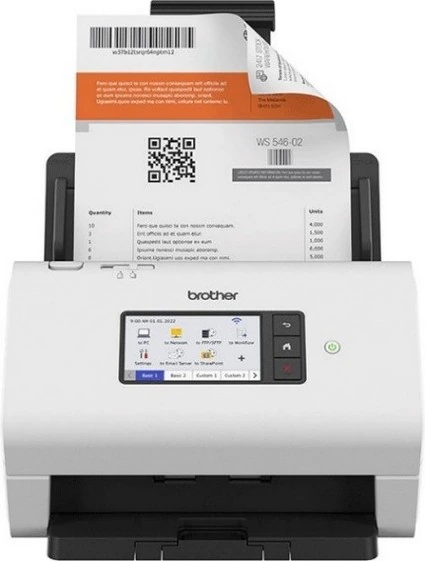
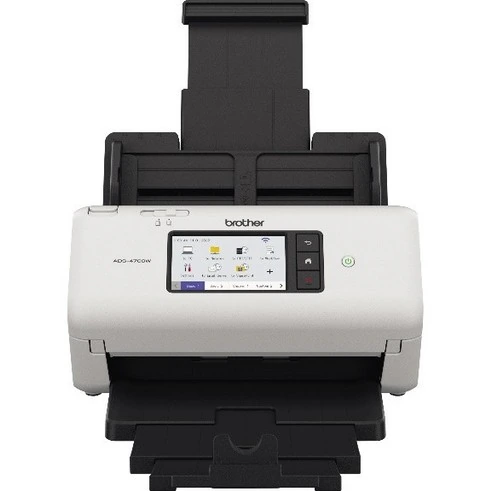
Brother ADS-4700W
Brother ADS-4700W, preconfigured by AnnTac.

Why AnnTac supplies scanners

At AnnTac, our aim is simple: make it easy to get your mail and documents into your digital archive. For years, we helped each customer with their own scanner or printer. We were happy to help, but different devices and settings often caused problems.

There are hundreds, perhaps thousands of models. Many work well. We also saw unreadable or oversized scans, missed barcodes and documents ending up in the wrong folder. This cost our customers time, and us too.

We therefore selected two professional Brother scanners, tested them extensively with our software and configured them carefully. Pages are straightened, blank pages removed and barcodes recognised. Scans go straight to your archive over a secure connection, without a computer.

We configure the scanner before sending it to you. You connect it and start scanning. If something goes wrong, we help. Scanners and related services, including reconfiguration, are supplied at cost. Our aim is to keep your archive working well, rather than earn money from scanners.

Two options, the same archive

Rent an AnnTac scanner

Preconfigured by us, with AnnTac support.

  • Scan straight to your archive over a secure connection
  • No separate scanning computer needed
  • Rental only, with an annual AnnTac subscription
  • Rental follows your subscription term, including when you add a scanner later
Compare the two models

Use your own scanner

Choose your own scanner or multifunction printer.

  • You manage installation, settings and scan quality
  • Upload from your computer with Uplink or through the portal
  • No AnnTac support for your own scanner, settings, scan quality or barcode recognition
How to use your own scanner

Which scanner suits your work?

Two tested models with the same support. Choose according to how much mail you process.

All prices shown exclude 21% VAT.

Brother ADS-4700W

AnnTac Volume scanner

For daily mail and larger scanning tasks.

Brother ADS-4700W

€ 15per month
excl. VAT

Feeder capacity
70 sheets
Scan speed
40 pages per minute
Rental price
€ 15 per month
Deposit
€ 100
Ask about renting a scanner

Brother ADS-4900W

AnnTac High Volume scanner

For higher volumes and intensive use.

Brother ADS-4900W

€ 25per month
excl. VAT

Feeder capacity
100 sheets
Scan speed
60 pages per minute
Rental price
€ 25 per month
Deposit
€ 150
Ask about renting a scanner

Rental is available with an annual AnnTac subscription. The minimum rental period and term match that subscription.

Rental includes order processing, shipping and remote installation.

An optional network cable costs € 5 once. Rental prices may be adjusted annually.

All specifications and rental terms (Dutch PDF)

Connection and support

Connect to your network

Your scanner arrives preconfigured with a guide. Connect it using wifi or a network cable. Direct scanning requires internet access over SSH, port 22. Your own IT partner handles any network or firewall changes.

Help when something goes wrong

Contact support. You receive a response within 1 working day. If the problem cannot be resolved, you receive a replacement scanner within 2 working days. AnnTac sends it free of charge.

Replacement or ending your rental

For a replacement, return the faulty scanner by registered post within 5 working days, in the replacement scanner’s box. Never return a scanner without first consulting support.

When ending your rental, return the scanner by registered post within 14 days, properly packaged. Keep the box throughout your rental.

The subscription ends when AnnTac receives the complete scanner in good condition. The deposit is offset against your final invoice. It is retained if the scanner is damaged or incomplete.

All specifications and rental terms (Dutch PDF)

AnnTac Uplink and your own scanner

Your own scanner is a valid choice. You or your IT partner manage installation and settings. Your scans travel from your computer to your archive in one of two ways.

Automatically with AnnTac Uplink

Your scanner or scanning software saves scans in the correct folders. AnnTac Uplink automatically sends documents from your computer to your archive. Uplink is available for Windows and macOS. You install it yourself. Support supplies the download link and installation guide.

Upload through the portal

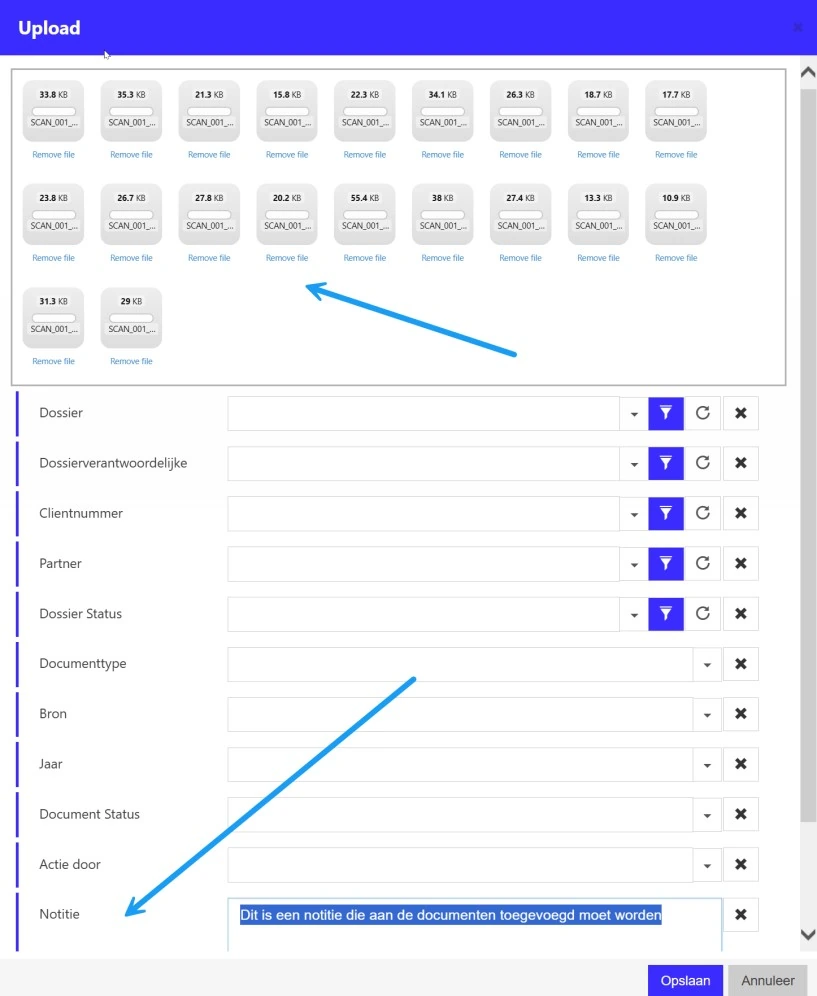
Open the upload function in your AnnTac portal, select your scans or drag them into the upload window. Add any relevant attributes and save the documents. This needs no local AnnTac software.

Barcodes, scan profiles and folders

Barcode recognition and document separation require TIFF scans. TIFF alone does not guarantee recognition: compression and scan quality matter too. The guide contains example settings and folders. Apply them with your scanner supplier or IT partner.

Using your own scanner (PDF)

Uploading through the portal

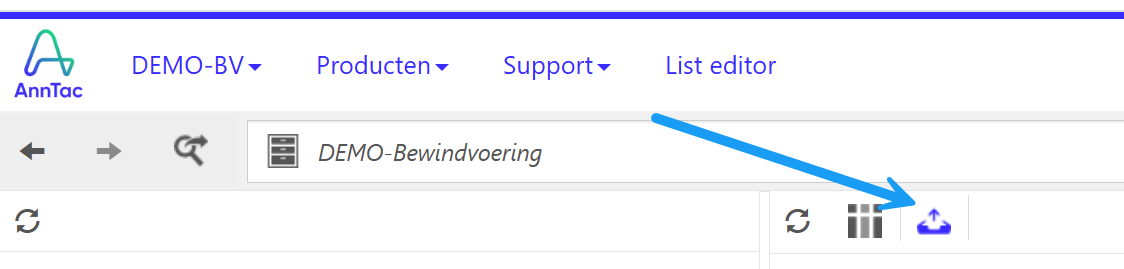
These screenshots come from the Dutch guide. The first shows the upload button. In the upload window, add scans and attributes.

Step 1: open the upload function in your archive.
View the upload window
Step 2: add scans, choose attributes and select Opslaan (Save).
Open the full screenshot

Previously bought an AnnTac scanner?

If you previously bought an AnnTac scanner, full support continues until the end of its associated support period. Afterwards, you can switch to rental: return your purchased scanner and rent an AnnTac scanner under the normal rental terms. Contact info@anntac.com to arrange this.

info@anntac.com

Guides and terms

The latest supplied versions, updated on 7 October 2026. Both PDFs are in Dutch.

PDF in Dutch

AnnTac scanners, rental prices and terms

The two models, prices, deposit, connection, support and rental terms.

Download PDF

PDF in Dutch

Using your own scanner

AnnTac Uplink, portal uploads, scan profiles, example settings, folders and barcode recognition.

Download PDF

Frequently asked questions

Can I use my own scanner?

Yes. Scan to your computer and use Uplink or the portal upload function. You manage installation, settings and scan quality. AnnTac does not support these.

Do I need a computer with an AnnTac scanner?

No. A scanner supplied and preconfigured by AnnTac sends scans straight to your archive over a secure connection. You need a suitable internet connection.

Does Uplink work on Windows and macOS?

Yes. You install Uplink yourself. Support supplies the download link and installation guide.

Can my system administrator change the scanner settings?

No. Do not change settings, reset the scanner or use its web interface. This applies to everyone. Reconfiguration costs € 45 excluding VAT each time, including return shipping.

Can existing customers rent a scanner later?

Yes, with an annual AnnTac subscription. Rental follows that subscription term, including when you add the scanner later.

What happens if my scanner is faulty?

Contact support. You receive a response within 1 working day. If the problem cannot be resolved, you receive a replacement scanner within 2 working days, sent free of charge.

What happens to a previously purchased scanner?

Full support continues until its associated support period ends. You can then return it and switch to rental under the normal terms. Email info@anntac.com to arrange this.

Which option suits you?

For rental or switching, email info@anntac.com. For problems, use support@anntac.com or the existing support page.